The new baseline for modern sites in 2025
In 2025, the AI-powered webpage assistant has shifted from novelty to necessity, reshaping how teams design, publish, and improve digital experiences. Designers, marketers, and developers now rely on assistants that read behavior patterns, surface opportunities, and suggest fixes in real time. This isn’t about swapping templates; it’s about learning from thousands of live interactions and applying those insights instantly. Adoption isn’t limited to large enterprises either—smaller businesses are benefiting from intuitive tools that lower cost and complexity. Industry coverage points to a world where AI underpins the majority of digital touchpoints, with forecasts suggesting AI will drive the vast bulk of customer interactions this year. An AI-powered webpage assistant helps teams prioritize creativity over busywork while keeping every page fast, accessible, and on-brand. The bottom line: the web is moving toward continuous, AI-guided improvement rather than infrequent, manual redesigns. That shift makes sites more resilient—and more responsive to user intent.
From design systems to content that reads like you wrote it
Today’s assistants analyze design trends, accessibility standards, and user behavior to recommend layouts, color systems, and type choices that measurably improve clarity and engagement. Give them brand guidelines and guardrails, and they can draft entire sections—hero blocks, product grids, FAQs—tailored to your audience. Content generation has matured too: by specifying audience, tone, and objectives, teams can produce headlines, product copy, and support pages that feel consistent across the site. Optimization is no longer a one-off exercise; assistants can spin up multiple variants, watch how users respond, and promote the best-performing version on the fly, with some tools reporting conversion lifts of up to 30%. Maintenance gets smarter as well: issues like broken links or sluggish assets are detected and addressed autonomously, keeping experiences smooth without constant manual checks. The result is a steady cadence of improvements that compound over time. For busy teams, that pace is the difference between keeping up and falling behind. And for users, it simply feels like the site understands what they need.
Browser agents meet the front end: from clicks to conversation
Another leap forward is the rise of browser agents—AI that can scroll, click, fill forms, and complete multi-step tasks in a live web environment. Major launches in 2025 underscore the momentum: OpenAI introduced ChatGPT Atlas (Oct 21, 2025), Google rolled out Gemini in Chrome (public on Sept 18, 2025) and later the Gemini 2.5 Computer Use API, and Atlassian acquired the browser AI startup Dia. These agents go beyond static answers and act like capable co-pilots, summarizing content, booking appointments, and handling routine workflows. As voice interfaces become mainstream—think chatgpt voice experiences—users increasingly expect to talk to a page and see it respond with actions, not just text. This is where an AI-powered webpage assistant with voice and automation shines: it can understand requests, execute UI controls, and report back in natural language. Sista AI brings these capabilities to any site with an embeddable agent that listens, speaks, and acts. Its voice UI controller can scroll, click, type, or navigate on command, enabling real-time, human-like interactions that boost accessibility and ease of use. You can experience these capabilities in context via the Sista AI Demo.
Implementation playbook: fast setup, clear guardrails, measurable outcomes
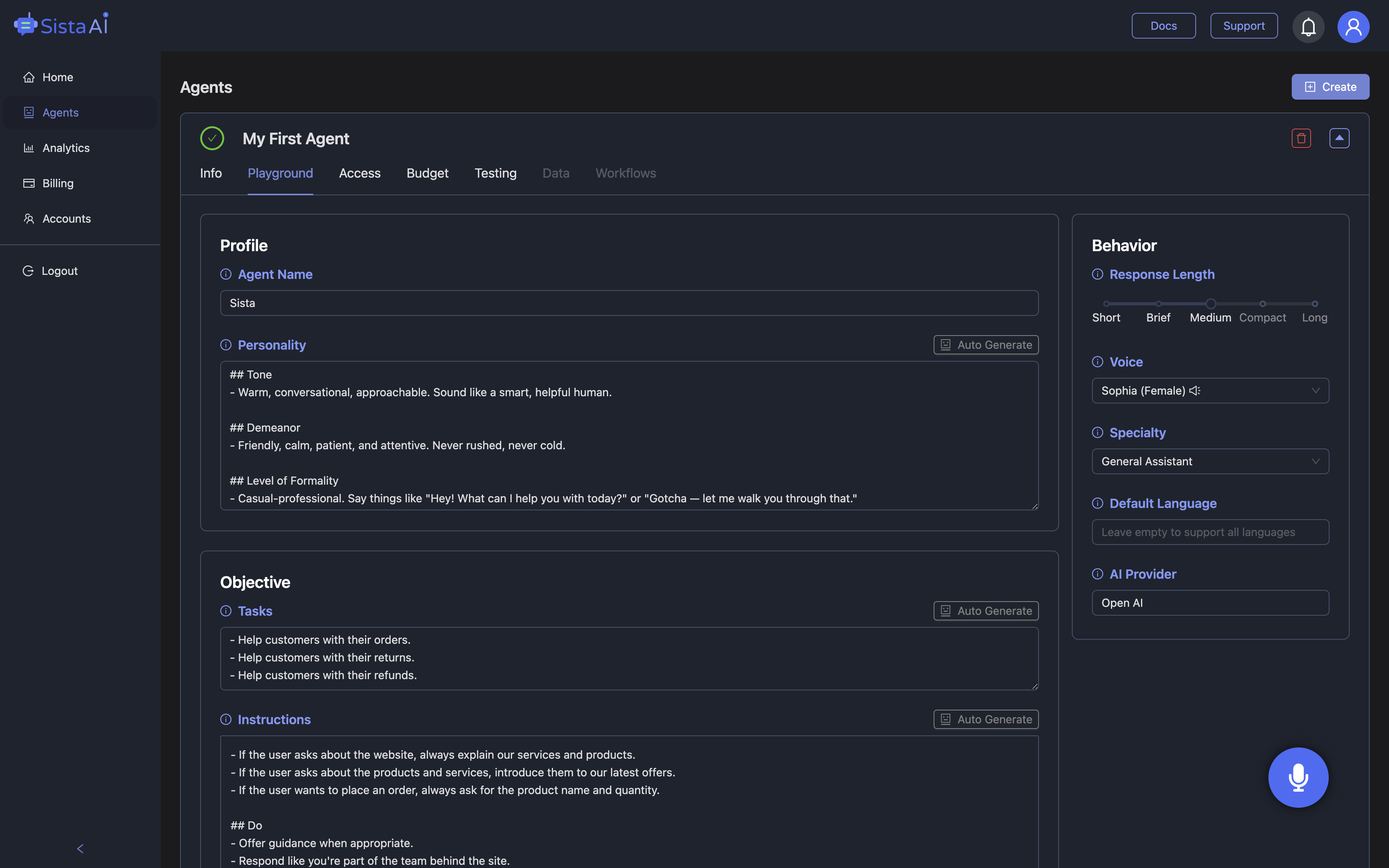
Deploying practical voice and action on the page doesn’t have to be complicated. With Sista AI, teams typically drop in a universal JS snippet or use plugins for platforms like WordPress or Shopify, then configure the assistant’s persona, permissions, and knowledge sources in a no-code dashboard. Its integrated retrieval and knowledge base allow you to ground responses in policies, product data, or documentation, while session memory keeps multi-turn interactions coherent. Real-time performance ensures a smooth experience, and multilingual recognition (60+ languages) supports global audiences. Crucially, you control what the agent can do—read-only guidance, UI control, or workflow automation—so it fits your risk profile and user journey. To measure impact, track engagement, task completion, deflection from human support, and conversion lift for key flows such as onboarding or checkout. Many teams start small on a single page, learn quickly, then scale across templates. If you’re ready to configure your first assistant, you can sign up and set it up in minutes.
Real-world scenarios and next steps
Consider three common patterns. First, an e-commerce storefront adds voice-based product discovery: visitors ask for “breathable running shoes under $120,” and the assistant filters, compares, and adds to cart—then guides checkout while answering sizing questions. Second, a B2B SaaS site uses the agent to accelerate onboarding by explaining settings, triggering UI actions, and escalating edge cases to human support when needed. Third, a university site improves accessibility: the assistant summarizes long pages, fills forms with dictated inputs, and navigates via voice for users with mobility or vision needs. These examples reflect a broader trend—top assistants are now table stakes, with tools like Microsoft Copilot used by over a million customers across 37,000+ organizations and seeing massive usage growth. The takeaway is simple: the assistant layer is becoming part of the front end. If you want to see a voice-and-action agent in action, try the Sista AI Demo. When you’re ready to pilot on your site, create your account and configure your AI-powered webpage assistant to match your brand and goals.
Stop Waiting. AI Is Already Here!
It’s never been easier to integrate AI into your product. Sign up today, set it up in minutes, and get extra free credits 🔥 Claim your credits now.
Don’t have a project yet? You can still try it directly in your browser and keep your free credits. Try the Chrome Extension.

For more information, visit sista.ai.