Why free AI browser agents matter in 2025
The phrase Ai browser agent free has shifted from buzz to everyday utility in 2025 as browsers learn to act, not just answer. Instead of stopping at a chat window, agentic tools can log in, click buttons, fill forms, and chain steps on real websites to complete tasks end to end. Opera’s integration of advanced Gemini models now brings one‑minute Deep Research to more than 80 million users, compressing reading and note‑taking into quick, reliable digests. Brave’s Leo summarizes pages and videos, translates in real time, generates content, and routes tasks to the best model automatically while keeping chats private and account‑free. Perplexity Comet—once a $200/month premium service—has gone fully free, letting users run autonomous multi‑step browsing. Some agentic options, like Strawberry or new research‑led entrants, prioritize proactive navigation and report generation over static answers. Sigma‑style experiences are pushing beyond Q&A toward UI control inside pages, hinting at a future where a browser feels like a capable assistant. As chatgpt voice becomes common, many users also want to talk to tabs and have results read aloud while staying hands‑free. Most offerings include free tiers with solid capabilities, though higher limits or deeper autonomy can sit behind paid plans.
What free agents can actually do
Broadly, current tools split into smart helpers and agentic browsers, each useful in different ways for an Ai browser agent free workflow. Smart helpers like Brave Leo, Microsoft Edge Copilot, Arc Max, and ChatGPT Atlas supercharge manual browsing with summarization, Q&A, translation, and in‑page assistance. Atlas emphasizes zero data retention in its browser, though full agent mode requires a Plus or Pro subscription. Agentic browsers go further by making decisions and taking actions: Perplexity Comet (now free), Strawberry Browser, and research‑centric newcomers like Fellou or Genspark automate tasks like itinerary planning, bulk downloading of papers, and generating structured outputs. For developers, Browserbase offers a high‑performance headless environment for large‑scale automation, though it’s more infrastructure than consumer app. Privacy‑minded options like Quetta combine minimalist design with AI ad‑blocking for a cleaner experience. Picture a trip planner: the agent signs into a loyalty account, compares fares, holds seats, and drafts a shareable mini‑report—all inside the browser. Or consider a researcher: the agent finds PDFs, extracts key claims, compiles citations, and proposes gaps for further study. This is why the Ai browser agent free trend feels different from past plugins; the tools increasingly act like capable colleagues.
Privacy, access, and picking the right fit
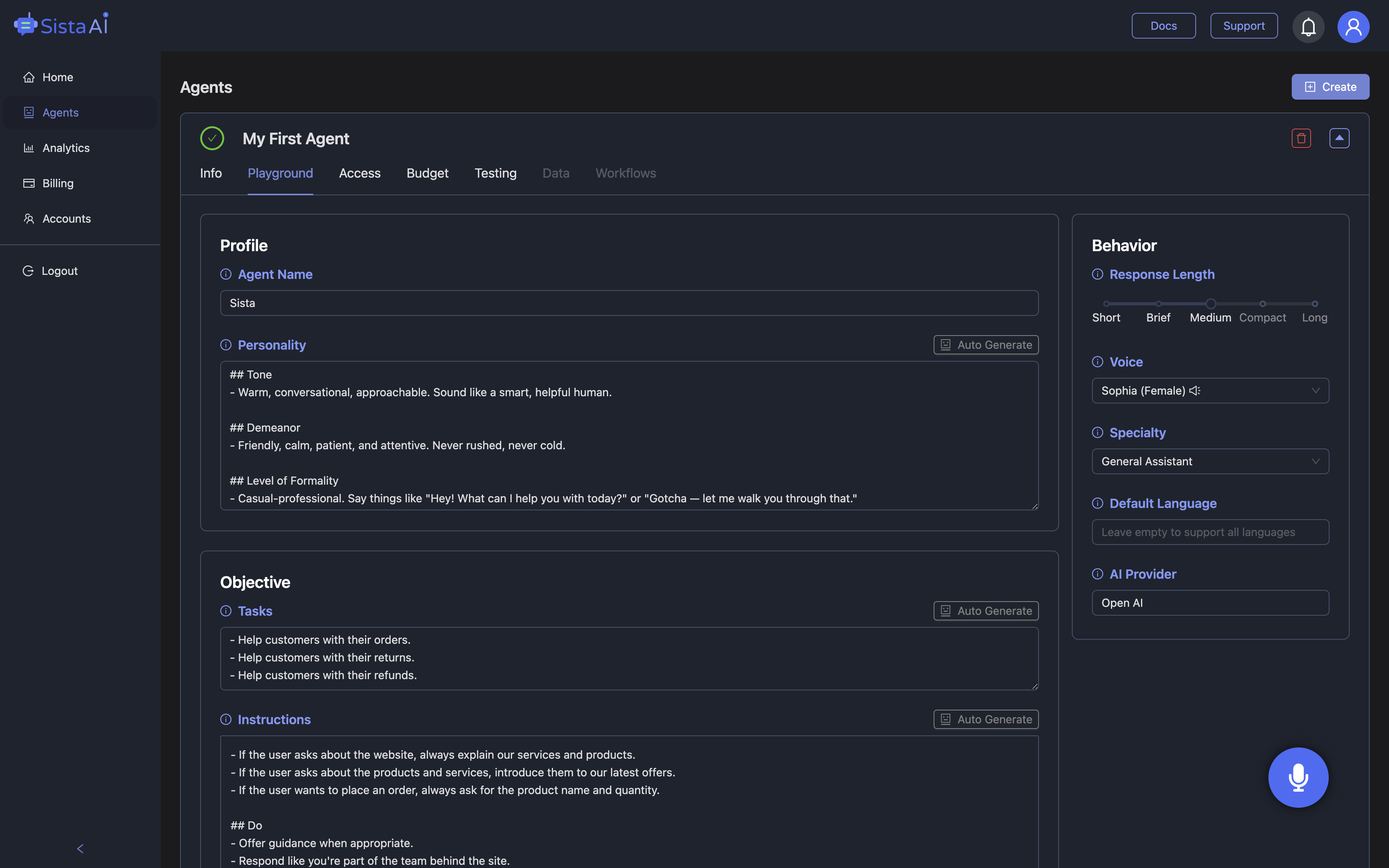
Privacy is a core differentiator among free AI browser agents. Brave Leo does not retain chat data, uses anonymous proxy requests, and works without login, which appeals to cautious teams. ChatGPT Atlas also emphasizes zero retention, though some agent features require a subscription and it currently favors macOS, with other platforms following. Opera brings powerful Gemini‑based analysis to a very large user base, which makes fast, on‑page research broadly accessible. Many free tiers cap usage or context, while premium upgrades expand limits or model choice, so plan for occasional ceilings during heavy use. If you like your current browser but want hands‑free control and chatgpt voice capabilities, Sista AI’s Chrome extension adds voice‑controlled browsing, instant on‑page Q&A, and form‑filling without switching ecosystems; you can start here: https://browser.sista.ai. For teams building products, Sista AI’s embeddable voice agent can scroll, click, type, and navigate inside your own app, unifying automation and UX with a no‑code dashboard and real‑time performance. That combination—free browsing autonomy plus a voice layer for accessibility and speed—covers both casual research and production‑grade interfaces.
Real‑world scenarios that show the value
A graduate student preparing a literature review can ask an agentic browser like Perplexity Comet to collect recent PDFs, then use the Sista AI extension to read highlights aloud, capture voice notes, and draft follow‑up questions while hands stay on the keyboard. A small e‑commerce team can rely on Brave Leo to summarize competitor pages and reviews, then deploy Sista AI’s Shopify voice agent to guide shoppers through product discovery, upsell bundles, and handle order tracking without extra clicks. A support lead can lean on smart helpers to condense long knowledge base articles while embedding an on‑site Sista AI voice agent that answers common questions and executes steps such as account checks or appointment booking. Product teams automating research might run headless crawls with Browserbase and let Sista AI present insights through a conversational, voice‑first interface. In each case, the practical win is fewer context switches and shorter paths from question to action; a 10‑step flow often compresses into three voice prompts. If you want to see voice automation layered onto your workflows, explore the Sista AI Demo and imagine it sitting alongside your favorite free agentic browser.
How to get started—without overhauling your stack
The best approach is to test two to three options side by side: pick an Ai browser agent free for autonomous research, keep a privacy‑forward helper for quick summaries, and add a voice layer where it measurably shortens tasks. Begin with a clear target—trip planning, literature review, or onboarding—and measure steps and time saved across a week. Pairing an agentic browser with Sista AI’s voice automation gives you action plus conversation: the browser navigates, and the voice agent explains, controls UI elements, and completes in‑app flows. Teams that care about accessibility also benefit from real‑time screen reading and multilingual support, making interfaces usable for more people. When you’re ready to trial voice automation in your product or site, spin up a hands‑on session via the Sista AI Demo. If you want to deploy to production, you can configure agents, set permissions, and monitor usage from one place—simply sign up and connect your app. Try the demo today, then sign up to bring a reliable, voice‑first assistant to your browsing and your product.
Stop Waiting. AI Is Already Here!
It’s never been easier to integrate AI into your product. Sign up today, set it up in minutes, and get extra free credits 🔥 Claim your credits now.
Don’t have a project yet? You can still try it directly in your browser and keep your free credits. Try the Chrome Extension.

For more information, visit sista.ai.