Introduction
Comparing make.com vs Sista AI is less about finding a winner and more about choosing the right tool for the right layer of your stack. One excels at stitching together apps and data; the other brings real-time, human-like conversations to your product. If your challenge is moving information between Google Sheets, Gmail, Slack, and your CRM, a visual workflow engine is powerful. If your challenge is guiding users, triaging support, or offering “chatgpt voice” experiences right inside your site or app, a voice-first assistant shines. Many teams need both, but the order of operations matters. Start by mapping your use case: back-office orchestration or front-of-house interaction. Then estimate variability: predictable daily jobs or spiky traffic from campaigns. That clarity makes a like-for-like comparison more meaningful.
Where Make.com Shines
Make.com is a flexible, no-code automation platform built to connect thousands of apps and handle multi-step workflows. Its free plan offers 1,000 monthly credits, enough for early experiments, while Core and Pro plans provide 10,000 credits with extras like priority scenario execution, custom variables, and full-text execution log search. Teams and Enterprise tiers layer on roles, templates, enterprise app integrations, and 24/7 support. Pricing is considered budget-friendly, with tiers reported from $9 to $59 per month, but credits still rule the meter. Each action—like adding a row to Sheets or fetching Gmail data—costs one credit, so volume matters. A nuance worth noting: if you exceed your monthly credits, the platform can auto-purchase extra operation blocks at a 30% markup unless you disable it. That’s convenient during spikes, but it can also produce unexpected bills. For orchestrating data-heavy tasks—batching invoices, syncing support tickets, or routing CRM events—Make.com is a workhorse. Some users, however, find its power overkill for simple needs.
Where Sista AI Fits
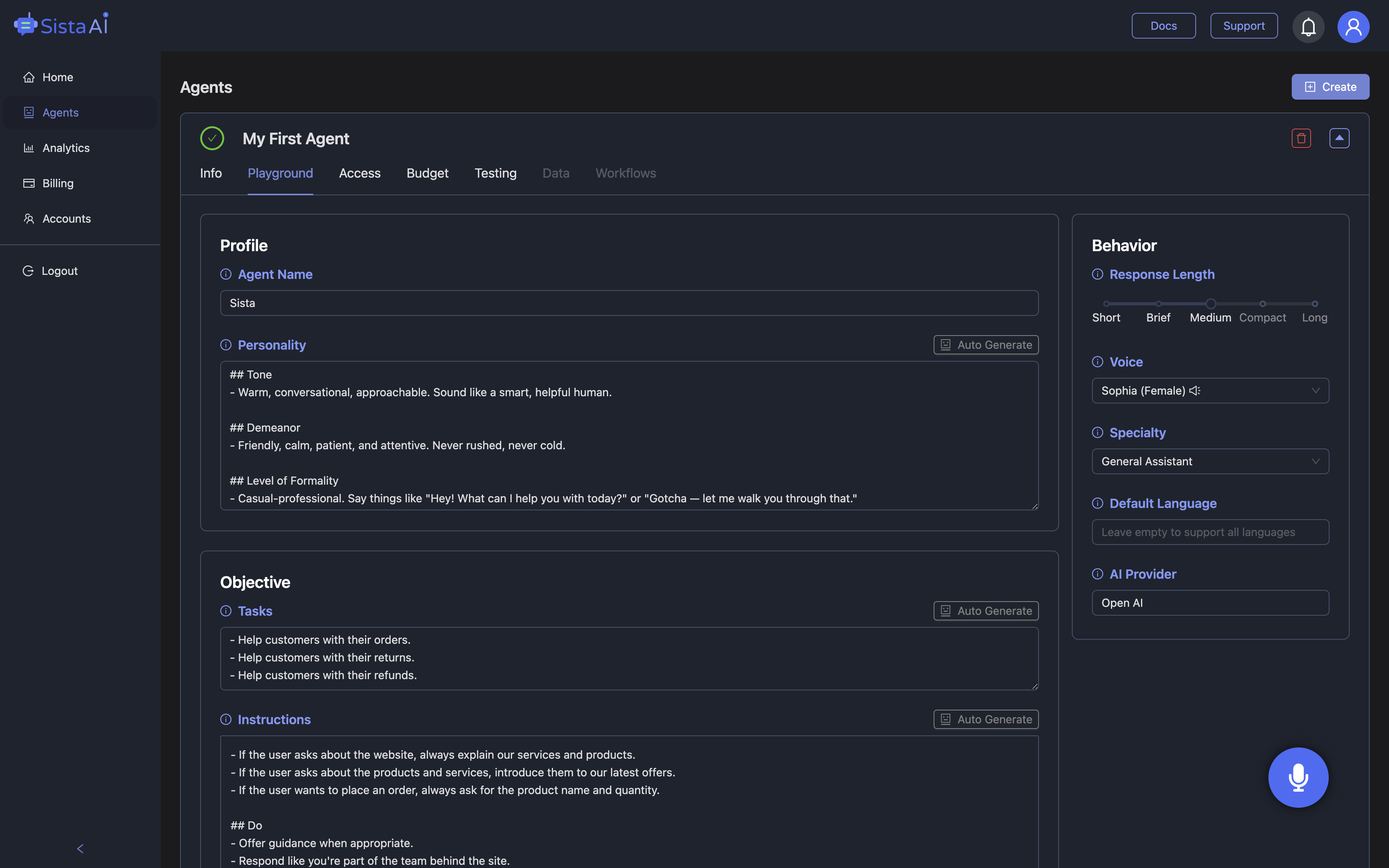
Sista AI focuses on voice assistant integration and personalized coaching via messaging, delivering natural, multilingual conversations across websites and apps. Pricing is straightforward: a pay-as-you-go model at $0.01 per interaction, with a free trial that includes 10 conversations so you can validate fit quickly. The setup is practical for builders, leveraging out-of-the-box SDKs and a universal JS snippet to embed a voice agent with minimal lift. You get real-time conversational agents, a voice UI controller for scroll/click/type, and multilingual recognition in over 60 languages—useful if your audience is global and always-on. Sista AI isn’t meant to replace complex enterprise automations; instead, it complements them by capturing intent and resolving common requests at the front door. Limitations include no standalone API access and a focus on messaging for personal coaching, with deeper customization requiring technical know-how. A common pattern is turning static onboarding into a voice-guided flow that answers questions, fills forms, and hands off to support when needed. If you want to see a live example of voice-first user journeys, try the Sista AI Demo and explore conversational interactions side by side with your current UI.
Decision Framework and Hybrid Patterns
Think of make.com vs Sista AI as back-office versus front-of-house. Choose Make.com when you need to choreograph multi-app data transfers, consolidate records, or schedule recurring operations. Choose Sista AI when you need real-time, human-like assistance that reduces friction and improves accessibility—like a “chatgpt voice” concierge guiding users through complex pages, forms, or product catalogs. Many teams do both: Sista AI handles the on-screen conversation, then hands structured inputs to your existing systems for fulfillment. For example, a retail site can use Sista AI to filter products by voice, summarize differences, and help manage the cart, while your e-commerce stack processes payment and shipping. In a clinic, the agent can capture appointment details, confirm policies, and then pass the request to your scheduling tool. For a startup, voice-led onboarding can surface plans, answer pricing questions, and direct qualified leads to human sales. If you’re ready to experiment with a conversational front end, you can create an account in minutes via the Sista AI Signup portal and prototype a small, high-impact flow.
Cost, Risk, and a Practical Rollout Plan
From a cost perspective, the calculus is different for each product. With Make.com, capacity is measured in credits; a 10,000-credit month might be plenty for steady-state automations but can get tight during a campaign. With Sista AI, the meter is per interaction; for example, 2,000 interactions in a busy month would cost about $20, making costs easier to forecast for spiky, user-facing traffic. Hidden costs are also different: Make.com’s auto-purchase of extra operations (at a 30% markup unless disabled) is convenient yet risky during sudden spikes; Sista AI’s pay-as-you-go model simply scales with usage. A practical rollout plan looks like this: define your top 3 voice intents; list languages and accessibility needs; embed the JS snippet; train with a small knowledge base; and run a week-long pilot on one page or flow. Measure time-to-first-answer, completion rates, and deflection of routine questions. If you want to experience voice-led UX before committing, explore the Sista AI Demo. When you’re ready to operationalize, spin up your workspace via the Sista AI Signup page and deploy your first agent to a low-risk, high-visibility flow.
Stop Waiting. AI Is Already Here!
It’s never been easier to integrate AI into your product. Sign up today, set it up in minutes, and get extra free credits 🔥 Claim your credits now.
Don’t have a project yet? You can still try it directly in your browser and keep your free credits. Try the Chrome Extension.

For more information, visit sista.ai.